

Updated June 2026 by Shawn Kent, co-founder of PIXEO
"Where did you take that?" is the question I heard constantly for years, and it is the question that led me to build PIXEO. As a military photographer I travelled a lot, but the work I did for the job was never my real passion. Landscape and architecture were. Time and again I would land in a foreign country or a new town with my camera, a scant few hours to myself, and no idea where to shoot. Eventually I got tired of it and built PIXEO to solve the problem for myself. Along the way I got very good at the thing the tool was meant to fix: finding new locations, fast. This guide breaks down how I find photo spots near me, and hopefully helps you find yours too.
Start with a Photo Spot Finder
Well, I can't very well write about finding photo locations without talking about our own passion project, so let's get the sales pitch over with. This site runs the PIXEO map, 27,000+ locations and counting. It is the tool we built to solve this exact problem, and browsing it is free. Every spot is a real, photographable place that a photographer has actually shot, not a random geotag, and my long-suffering wife Lisette personally checks every one.
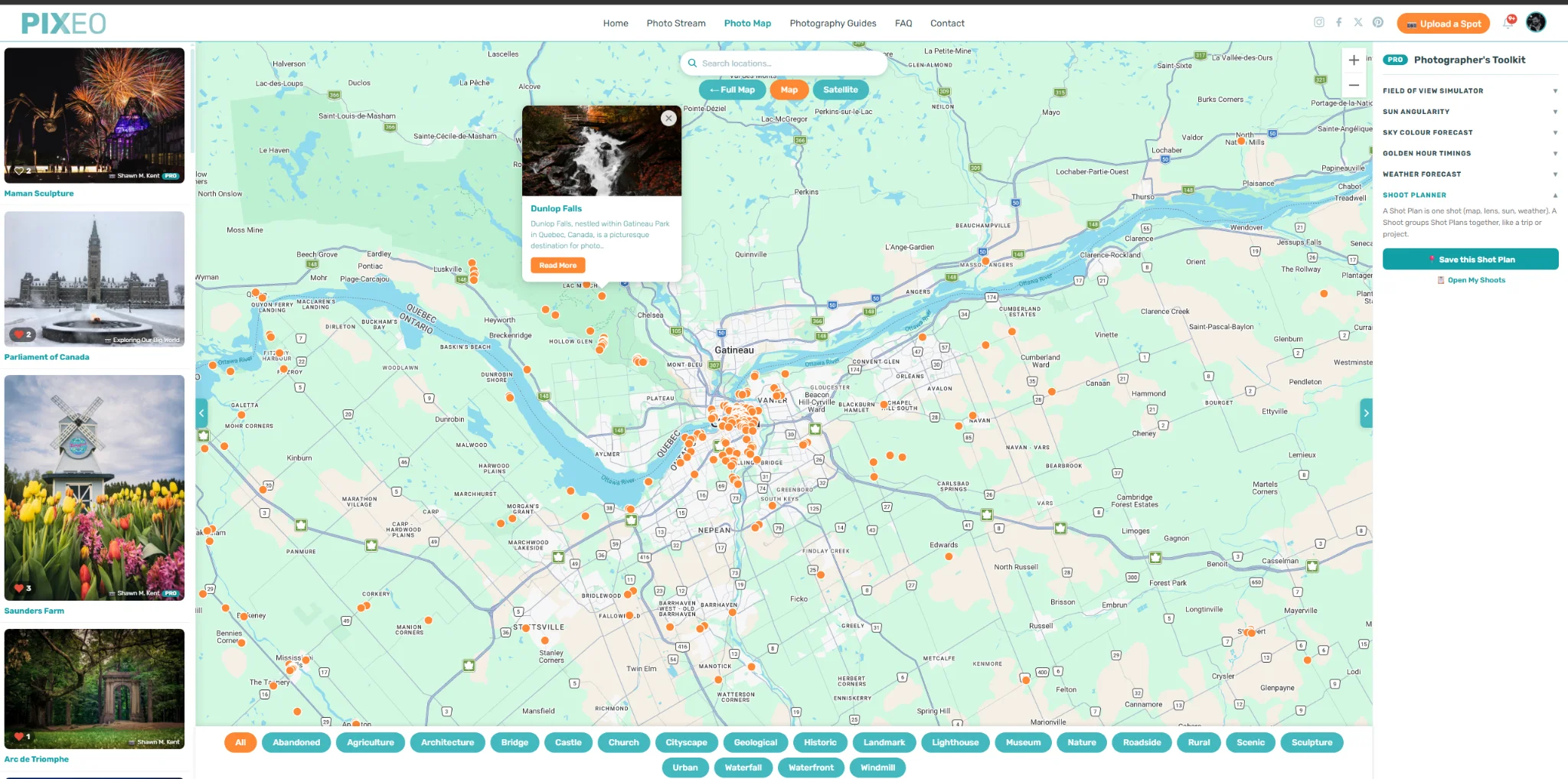
When you are on the road, the free PIXEO app for iOS and Android does the part a website cannot: it uses your phone's GPS to surface the spots closest to wherever you are standing. Browsing the app is free too.
There, that's enough of that. On to some other techniques we use to find photo locations.
Search Google Images, Maps, and Street View
I know, "just Google it" is hardly a revelation, and it is probably what led you here. But there is more to scouting a location than typing "best places to take pictures in Dallas" into the search bar. Do that and you will get a flood of influencer types posing in summer dresses at the same dozen Instagrammable backdrops. Some are genuinely good spots, but a lot of them are really just nice settings for weddings and Instagram snaps. I tend to want scenes with no people in them, so I hunt a little differently.
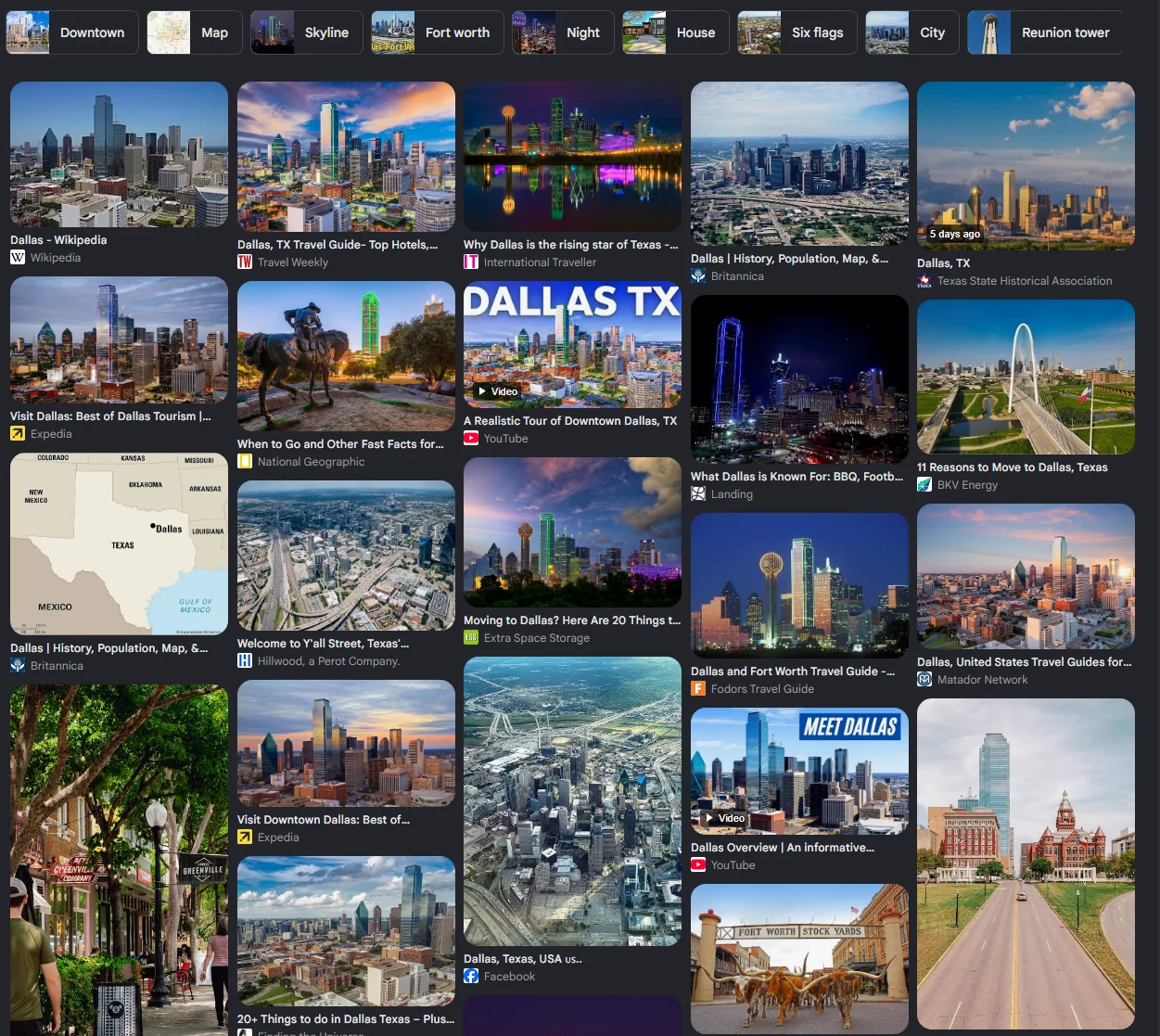
Before I go somewhere new, I type the place name into Google Images. Within seconds I have dozens of angles on the area, and often a hidden gem (a lighthouse, an abandoned building) I would never have found otherwise. These are the locations that actually define a place, the bucket-list shots worth planning a trip around.
Google Maps also earns its keep before a trip rather than
during one. Study the satellite view for topography and coastline, not just the
labelled landmarks. Then drag the little yellow Street View figure over the map
without dropping it. Blue dots appear wherever 360-degree imagery exists, and
clusters of them are a reliable signal that something worth shooting is there.
In back-country areas this is how I find lookouts and trailheads that never
show up on a tourist map.
Explore Online Community Photo Maps
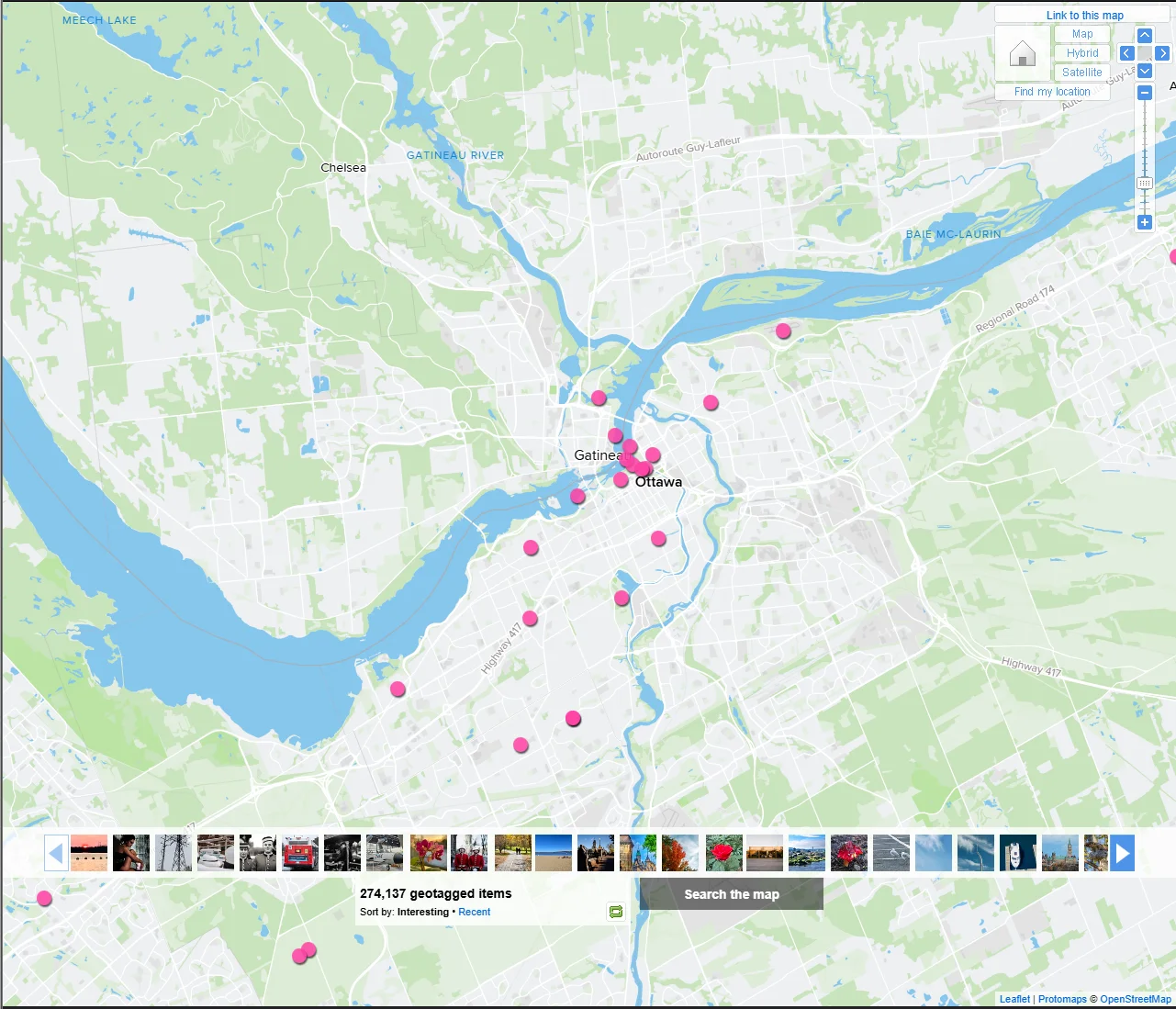
There are a few sites doing something similar to what we do in that they geotag images and display them on a map. They don't curate their collections so anticipate a lot of pics of people, pets and private property, but you can find some decent stuff.
The best site for this sort of thing is without a doubt Flickr. The Flickr Map plots all the photos on the site that have geo data.
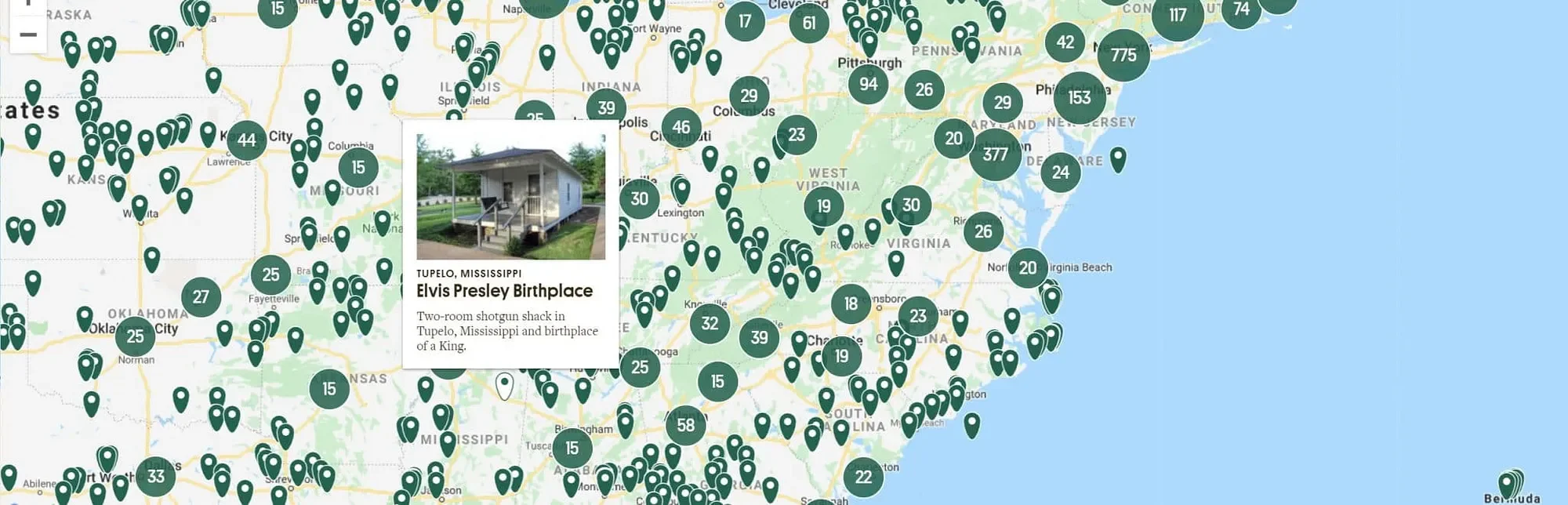
Atlas Obscura is another site that while, not built for photographers, is a goldmine of strange, characterful places that make memorable images. Use these for inspiration, then verify the exact location and access before you go.
Reverse Image Searching with AI
This is the part of this article that really warranted updating. While thousands of people add to the PIXEO collection, we also add pictures we find in free image collections like Unsplash. Locating a photo found online used to be a real pain. After years of tracking down where those images were taken, we got pretty good at the geo-guessing game: reading the contextual clues in a frame to work out where the photographer was standing. These days we have a faster first step. We hand the photo to an AI assistant (my preferred one is Claude) and let it narrow down the location.
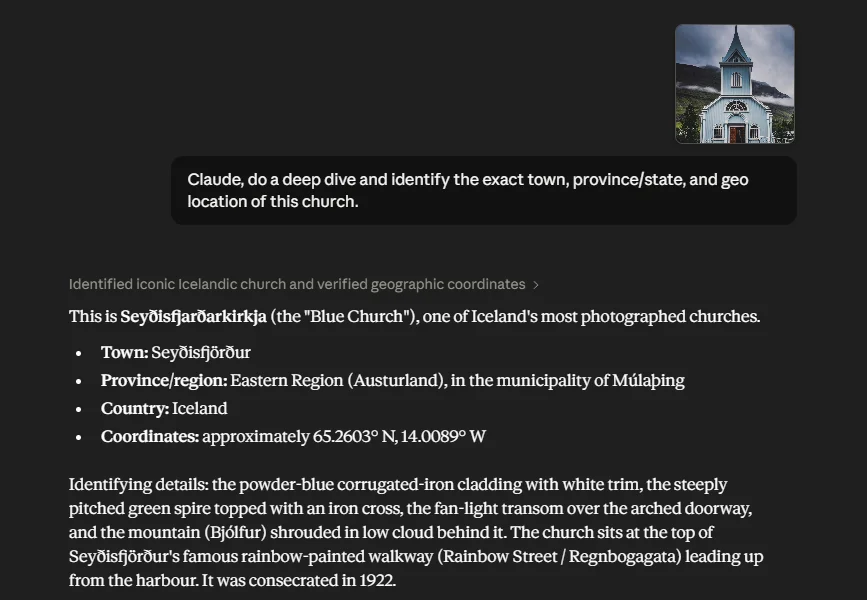
Claude tells us that it is the Seyðisfjarðarkirkja (the "Blue Church"). Located here if you are interested:
📍 Explore on PIXEO Map →
On a heavily photographed spot, it will often name the exact place. On an anonymous stretch of coast with no landmarks it might only get you to the right country, and then you finish the job with Google Lens and a bit of cross-referencing. But as a way to shrink the search from "somewhere on Earth" to "this valley in the Dolomites," it is hard to beat, and the paid models tend to do noticeably better than the free ones.
Plan the Shot When You Have the Spot
Finding the location is half the job. Light is the other
half.
Before heading out, work out when the spot actually looks
its best. Golden hour and blue hour transform most scenes, and the direction
the sun rises or sets decides whether your subject is front-lit, back-lit, or
in shadow. PIXEO Pro builds this into the map with golden hour times, a
sky-colour quality forecast, and sun direction lines for any point, so you can
plan composition before you arrive instead of guessing on site.
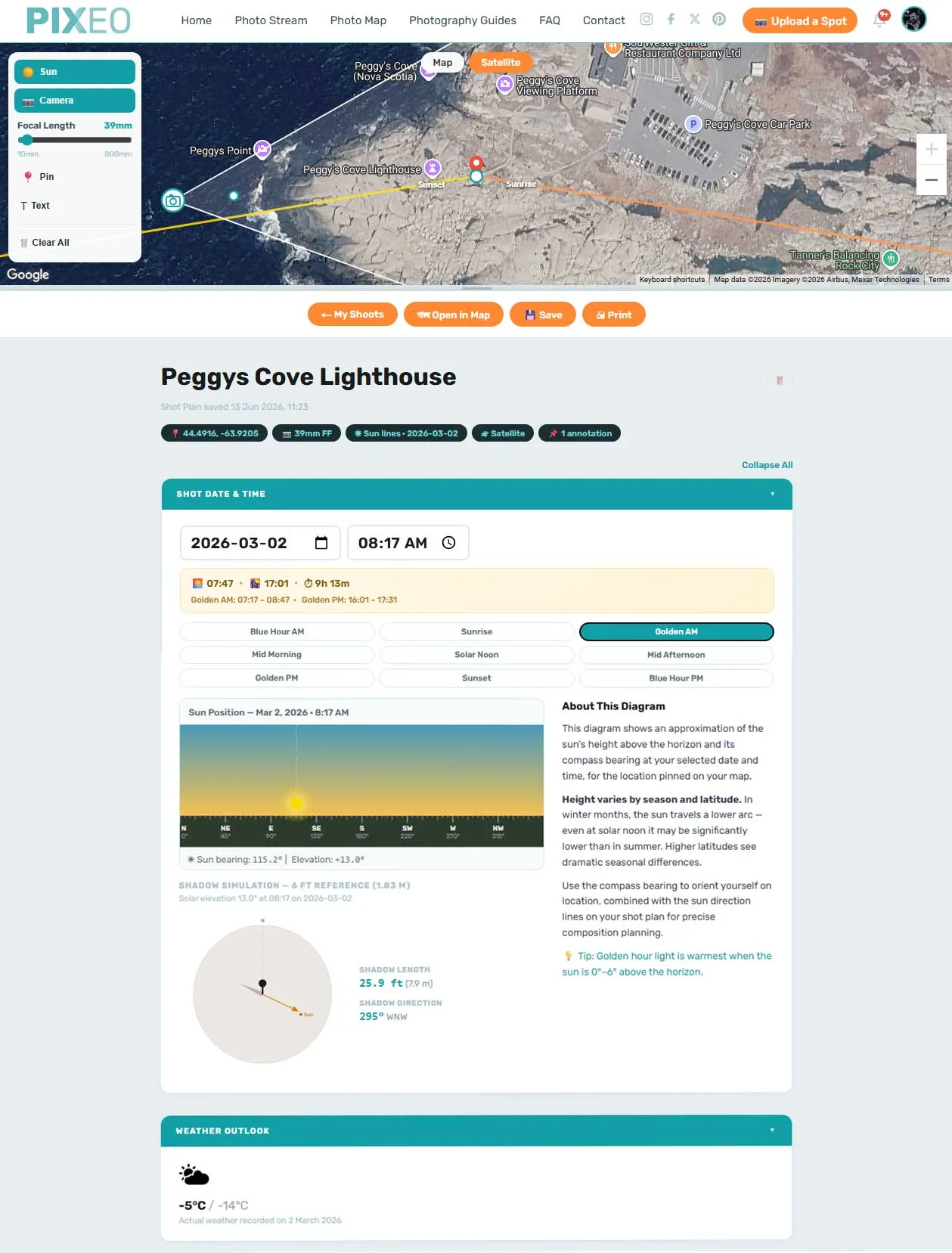
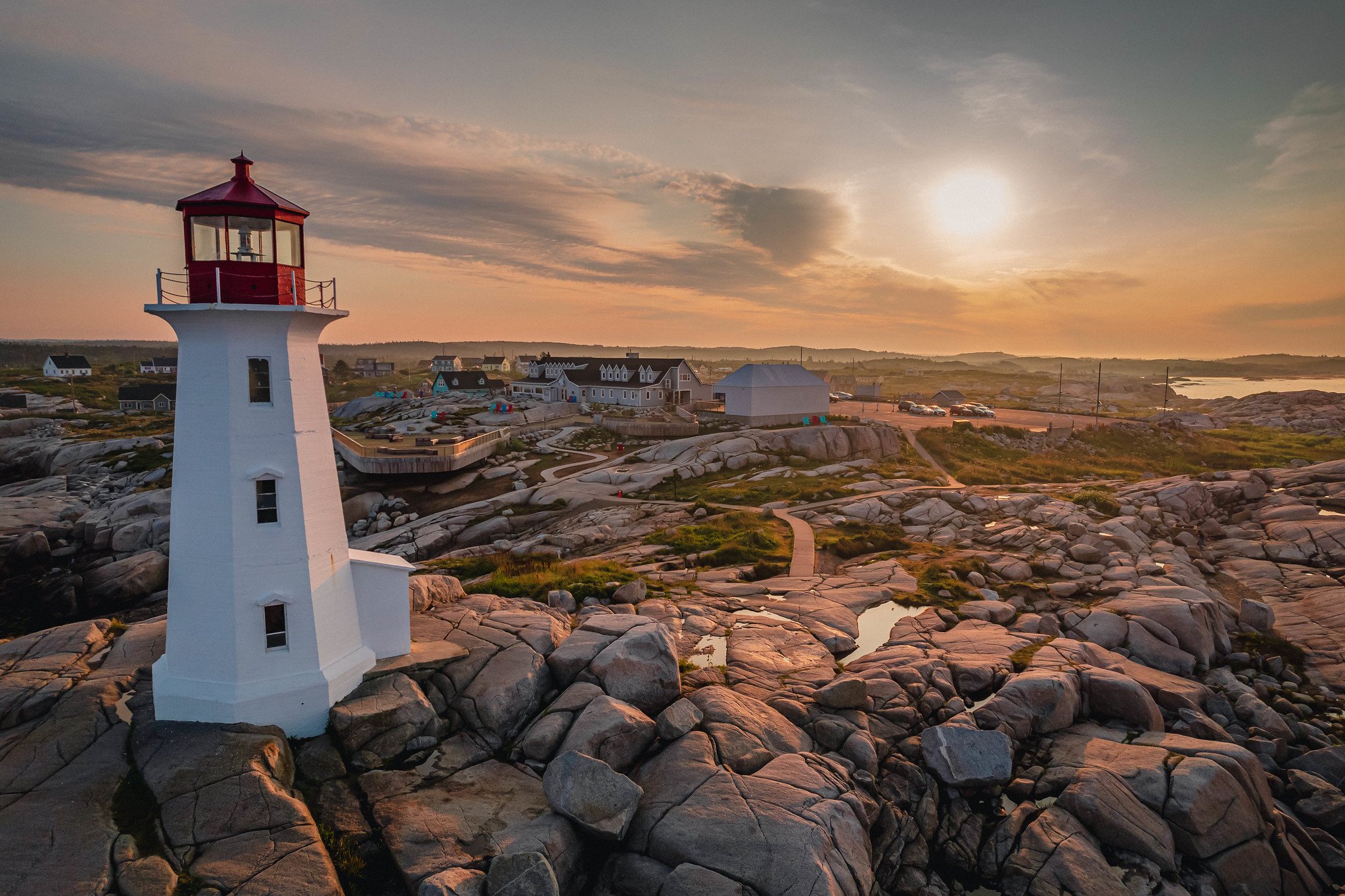
Using PIXEO Pro's planning tools, I worked out the best time of year for the sun angle (sunrise sits behind the lighthouse, right in golden hour), picked a day and time when this normally tourist-overrun spot would be nearly empty (around -5 °C / 23 °F on a Monday morning in the off-season), and checked the shadows (the lighthouse casts to the left while the sun still rims the right edge, so it holds a proper exposure even when backlit). Then I dropped my camera position on the map (a DJI Mavic drone, roughly 28-35 mm equivalent) so I knew where to shoot from, and off I went.
The result looks like this:
The result looks like this:
Get Out and Explore
The final tip for finding photo spots is the least secret one: get out and explore. I know, hardly a secret. You didn't need some random dude on the internet to tell you that if you want to find photo spots you need to go outside and look for them. But honestly, getting off the couch to go look is still one of the best ways to find magical spots nobody else has. No tool replaces walking the ground. Every method here just narrows the search so you spend less time at a screen and more time with a camera in your hand. That is what the love of photography is really about. So get out there and start chasing the light.
Frequently Asked Questions
How do I find photo spots near me?
Combine a few methods. Start with a curated map or app built for it, then use Google Images and Street View to scout angles, community maps like Flickr for geotagged shots, and an AI assistant or Google Lens to pin down places you have only seen in a photo.
How do I find the location of a photo I saw online?
Trace the source first: the filename, the photographer's credit, or the page it sits on often names the place. If not, run it through Google Lens or an AI assistant to narrow it down, then cross-reference against maps. Iconic spots resolve in seconds; anonymous ones may only get you to the right region.
Can I find photo spots for free?
Yes. Browsing the PIXEO map and app is free, and the research methods here cost nothing. Paid AI models tend to identify tricky locations more reliably, but none of it is required to get started.
PIXEO curates the best photography locations from around the world. We take photographers' rights seriously: we only ever use images that have been rights-released or that we own outright, and we never use a photo we do not have permission to use. For the full details, see our terms and conditions. Explore the Photo Map, browse by region and country, read more photography guides, or take it on the road with the free PIXEO app for iOS and Android.
Comments
Loading comments…